

Motion
Motion: AI calendar, task planning and project management
Motion brings tasks, projects and meetings into an automatically planned calendar. It schedules work around deadlines and availability, adjusts the plan when commitments change and adds AI chat, documents and meeting notes.
Free trial availableAccount required
- Access
- Free trial available
- Available on
- Web, Desktop, Mobile, API
A calendar that makes room for the work behind each project
Motion connects the task list to the calendar. Each task’s deadline, estimated duration and priority help determine when work is scheduled. Changes to meetings or priorities trigger a revised plan, while capacity warnings flag deadlines that may be at risk. The schedule still depends on realistic estimates and the calendar time available.
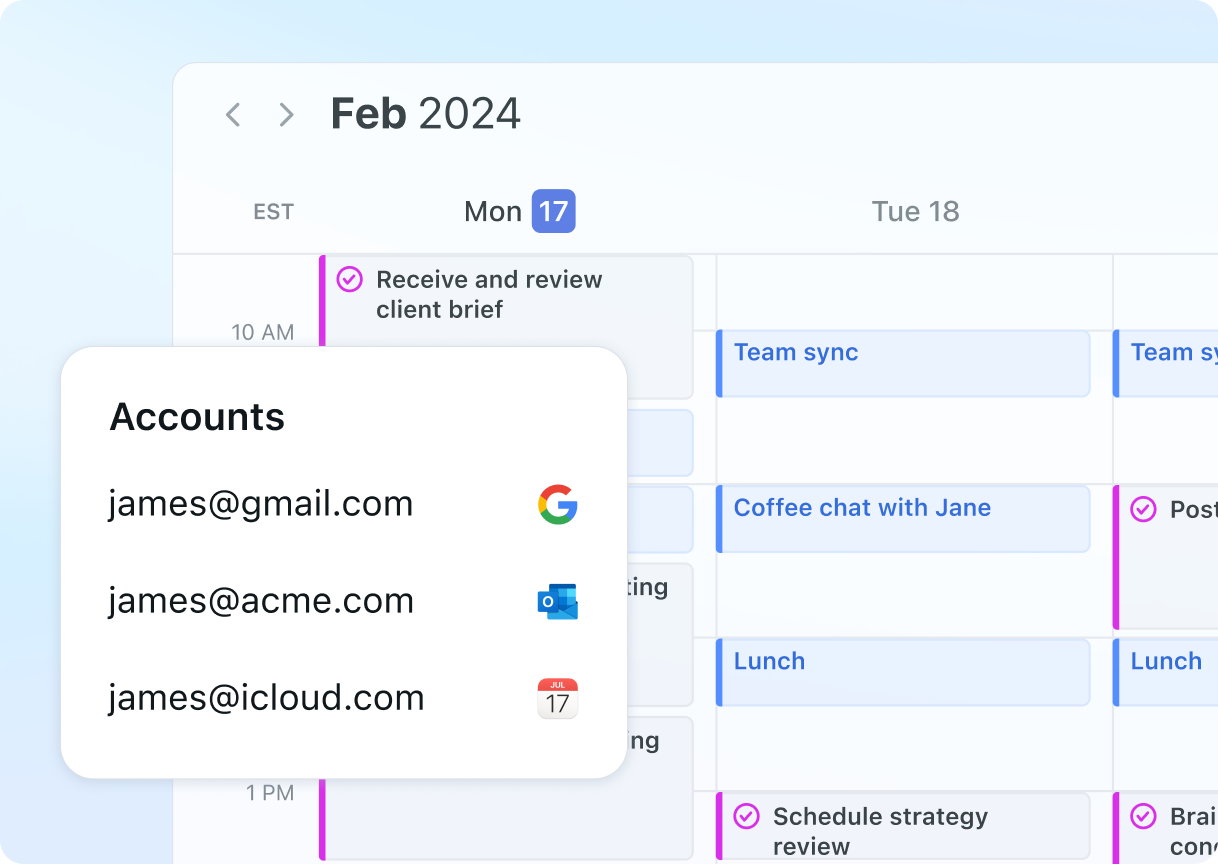
Connected Google, Microsoft Outlook and iCloud calendars bring appointments into the same view. Users choose which calendars affect availability and which simply provide visibility into colleagues’ schedules. The main calendar controls the default account for events. Time-zone changes require a manual update; Motion can remind users when it detects travel.
Projects, tasks, schedules and members are organised into workspaces. Their settings manage membership, permissions and workspace-specific integrations. The Business AI tier adds capacity planning, reporting, Gantt charts and time tracking. Motion also provides AI chat and writing tools alongside the planning system.
AI Notetaker joins supported Google Meet, Zoom and Microsoft Teams calls after admission from the waiting room. It produces summaries, transcripts and suggested follow-up tasks; workspace members can edit, approve or reject those tasks before they enter the schedule. It supports meetings on the main calendar, rather than secondary or shared calendars.
Best for
- Professionals planning tasks around a busy calendar
- Teams coordinating deadlines and available capacity
- Service businesses managing repeatable client projects
Limitations
Scheduling depends on task estimates and available calendar time. AI chat and meeting notes consume shared credits, which do not roll over. Team subscriptions use bundled seat counts. Mobile is a companion to the desktop experience.
Motion features
Automatic task scheduling
Place tasks on the calendar using deadlines, duration and priority.
Calendar connections
Bring Google, Outlook and iCloud events into one planning view.
Capacity and deadline warnings
Identify work that may not fit into the time available.
Projects and workspaces
Organise team tasks, project schedules, members and settings.
Meeting notes and action items
Review summaries and approve suggested tasks from supported video calls.
AI chat, documents and integrations
Use conversational assistance and connect workflows through Zapier and the Motion API.
Motion pricing
Free trial available. Plans and included features vary. Visit Motion for full plan details and current offers.
Technical specifications
Productivity and knowledge
| Feature | Motion |
|---|---|
| Workspace workflow | Automatic task and calendar planning with deadline and capacity warnings.Pro AI and Business AI |
| Connected knowledge | Tasks, projects and connected Google, Outlook or iCloud calendars.Selected calendars determine scheduling availability |
| Permission and sharing controls | Workspaces organise members and permissions; Business AI adds permissions and access control.Advanced controls depend on plan |
| Editable outputs | Meeting summaries, transcripts and editable action items that can become scheduled tasks.Main-calendar meetings on Meet, Zoom or Teams; bot admission required |
| Workspace integrations | Calendar and conferencing connections, Zapier, email forwarding and a public Motion API.Integration setup and external service accounts required |
Motion alternatives
Reclaim focuses on calendar scheduling. ClickUp offers broader task and document collaboration, while Notion brings flexible databases and knowledge management into a workspace.
Motion FAQs
What does Motion automatically schedule?
Motion plans tasks around deadlines, duration, priority and calendar availability. It updates the plan when commitments change and flags work that may not fit.
Which calendars can I connect?
Motion supports Google, Microsoft Outlook and iCloud calendars. Calendar settings determine which events affect availability and where new events are saved.
Does Motion have a free plan?
Motion advertises a free trial. Continued use requires a paid subscription; a free mobile download is not an ongoing free service.
Do Motion AI credits roll over?
No. Credits refresh each billing cycle, are shared across the account and do not carry over. AI chat and meeting notes consume credits.
Can Motion record meetings on every calendar?
AI Notetaker supports Google Meet, Zoom and Microsoft Teams meetings on the main calendar. It needs admission into the call; secondary and shared calendars are not supported.
Can I use Motion only on my phone?
Motion describes the mobile app as a companion. Initial setup must be completed in a desktop browser, and some settings are only available on web or desktop.
Is this your product? Claim this page to update your listing.