

Power BI with Copilot
Power BI with Copilot: AI-assisted business reports and data exploration
Copilot helps create report pages, summarize visuals and draft DAX inside Power BI. It works with your semantic models and requires an eligible paid Fabric or Premium capacity.
Paid plansAccount required
- Access
- Paid access
- Available on
- Web, Desktop, API
AI assistance inside an established reporting platform
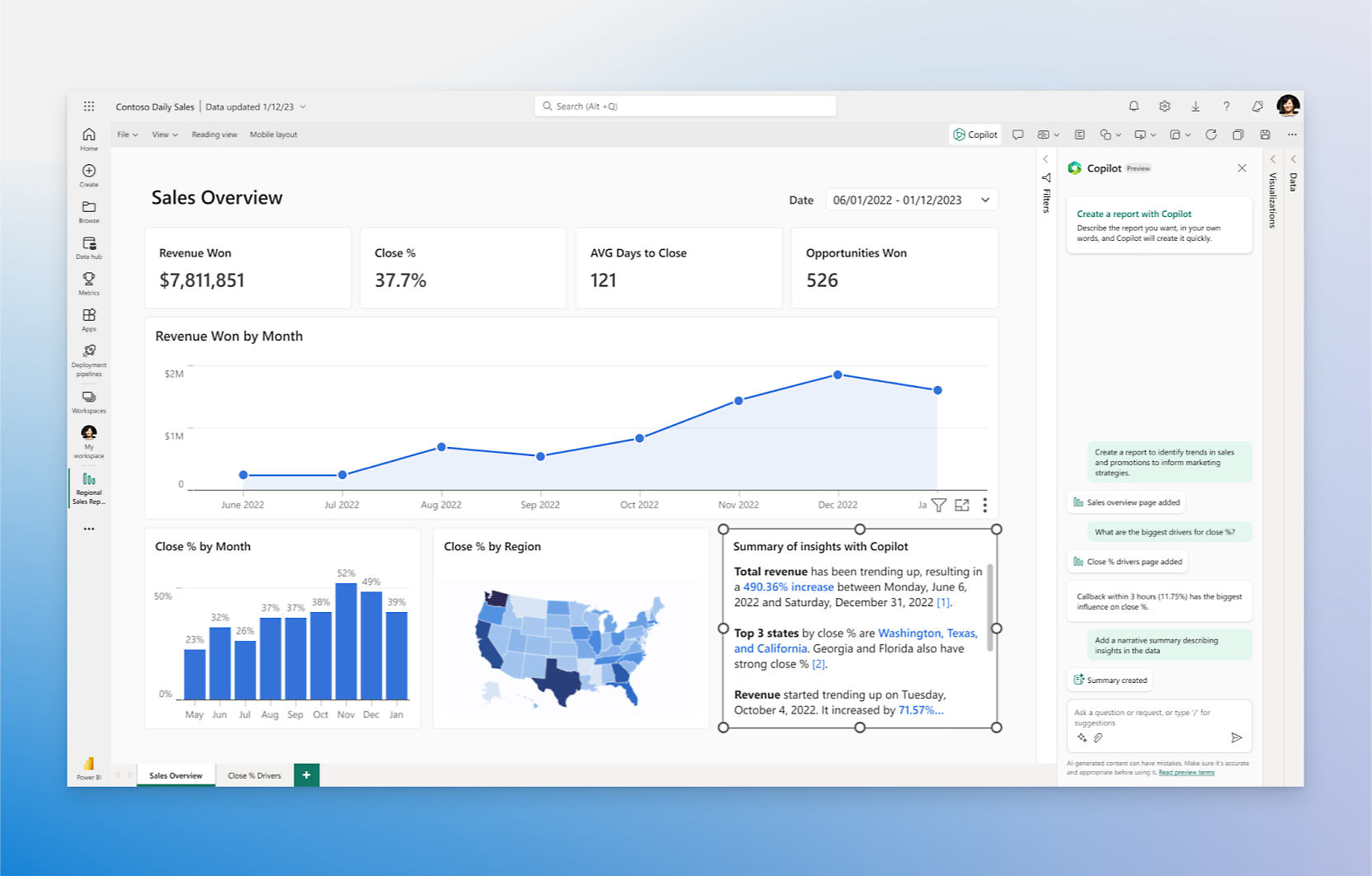
Power BI combines data connections, semantic models and interactive reports. Copilot adds natural-language assistance within that environment: it can suggest report content, create a page and add, change or remove supported visuals. Narrative summaries can describe a whole report, a page or selected visuals.
The semantic model supplies the business context. Clear field names, definitions and model preparation affect how useful the resulting answers are. Copilot can also assist with DAX queries and explanations. Report authors retain the normal Power BI editing environment, including undo and redo for recent Copilot changes.
Copilot is not included merely by buying a Pro or Premium Per User license. Microsoft requires eligible paid Fabric F2 or higher, or Premium P1 or higher capacity, supported regional availability and administrator enablement. Desktop use also requires appropriate workspace access. Trial capacity and PPU workspaces do not satisfy the documented Desktop requirements.
The report-pane experience is generally available; standalone and app-scoped experiences are documented as previews. Existing Power BI export and integration tools remain useful alongside Copilot. The report-export API supports PDF, PowerPoint and PNG on eligible capacity, with administrator settings and format limitations; it is a reporting API rather than a general-purpose Copilot endpoint.
Best for
- Organizations already using Power BI and Microsoft Fabric
- Analysts creating reports from governed business data
- Teams with eligible capacity and administrator support
Limitations
Pro and Premium Per User subscriptions alone do not enable Copilot. Report creation has semantic-model restrictions and does not support custom visuals or styling changes. AI-generated answers and DAX still need review; regional availability and tenant settings affect access.
Power BI with Copilot features
Report-page generation
Create and refine supported visuals from a description.
Narrative summaries
Summarize reports, pages or selected visuals.
DAX assistance
Generate and explain queries using semantic-model context.
Governed business data
Use your configured models and permitted report data.
Desktop and web reporting
Work in the eligible Power BI service or Desktop environment.
Reporting integrations
Use Power BI’s existing capacity-backed report export API.
Power BI with Copilot pricing
Paid plans. Plans and included features vary. Visit Power BI with Copilot for full plan details and current offers.
Technical specifications
Data analysis
| Feature | Power BI with Copilot |
|---|---|
| Data inputs and connections | Power BI semantic models built from supported connections, including Excel, CSV, databases and cloud services; the chosen model provides Copilot context.Power BI connectors; eligible semantic model |
| Analysis workflow | Natural-language report creation and editing, narrative summaries and DAX assistance. Report-pane Copilot is generally available; standalone and app-scoped experiences are previews.Eligible paid capacity and tenant enablement |
| Charts and reproducible outputs | Power BI report pages and visuals. The separate report-export API supports PDF, PPTX and PNG on eligible capacity; export settings and limitations apply.Fabric, Premium or Embedded report-export capacity; not PPU alone |
| Data permission controls | Copilot requires tenant administrator enablement and task-appropriate report/model permissions. Desktop use requires eligible workspace write access; Microsoft excludes business data from foundation-model training.Tenant, report and semantic-model access |
| Data and compute limits | Paid Fabric F2+ or Premium P1+ is required; trial capacity is unsupported. Report creation excludes streaming and live Analysis Services models, disabled implicit measures, custom visuals and styling changes.Report creation; see separate capacity prerequisites |
| API access | SupportedSeparate Power BI reporting API; not a Copilot chat API |
Power BI with Copilot alternatives
These alternatives cover Tableau-based dashboards, code-based projects and spreadsheet conversations.
Tableau Agent
Conversational exploration within Tableau’s licensed AI features.
Compare with Power BI with CopilotJulius
Chat-based calculations and charts from uploaded data.
Compare with Power BI with CopilotPower BI with Copilot FAQs
Does Power BI Pro include Copilot?
A Pro license by itself is insufficient. Copilot requires eligible paid Fabric F2+ or Premium P1+ capacity, administrator enablement and supported regional availability.
Can Copilot create Power BI reports?
Yes. In the report pane it can create report pages and add, change or remove supported visuals using a selected semantic model. Custom visuals and styling changes are not supported by that feature.
Can I use Copilot in Power BI Desktop?
Yes, with the documented eligible paid capacity, tenant settings and workspace permissions. A Premium Per User workspace alone is not supported for Desktop Copilot.
Is my Power BI data used to train foundation models?
Microsoft states that Copilot’s business data is not used to train foundation models. Administrators control enablement, and region-related settings can affect processing locations.
Is this your product? Claim this page to update your listing.