

Mistral Vibe
Mistral Vibe: AI assistance for work and code
Research a topic, create documents and connect your work apps, then delegate coding tasks through Vibe’s terminal, editor and web agents.
Free plan availableAccount required
- Access
- Free and paid plans
- Example plan
- USD 14.99 / monthPro
- Available on
- Web, Desktop, Mobile, API
One assistant for documents, research and development
Vibe brings Mistral’s chat assistant and coding agents under one product. Le Chat is now Vibe for work, with existing conversations, settings and plans carried over. The work assistant supports web research, uploaded spreadsheets and document creation, with voice input powered by Voxtral.
Connections to email, calendars and project tools let Vibe draw on the information behind a task. It can prepare reports, draft messages and organise recurring work. Enterprise customers can arrange private deployments and model customisation; those options have separate commercial terms.
For developers, Vibe for code works in the terminal, supported editors and the web. Local and remote agents can make changes across a repository, produce tests and prepare pull requests. Plan choice governs included usage across the wider Mistral platform, while pay-as-you-go settings determine whether extra token charges are possible.
Best for
- Professionals preparing research and documents
- Teams connecting internal knowledge and work apps
- Developers using local and remote coding agents
Limitations
A Pro subscription has usage ceilings. Coding, Studio and API activity can consume the included monthly allowance; optional pay-as-you-go extends use with extra charges.
Mistral Vibe features
Sourced research
Search the web and connected knowledge sources to produce analysis with source references.
Documents and data
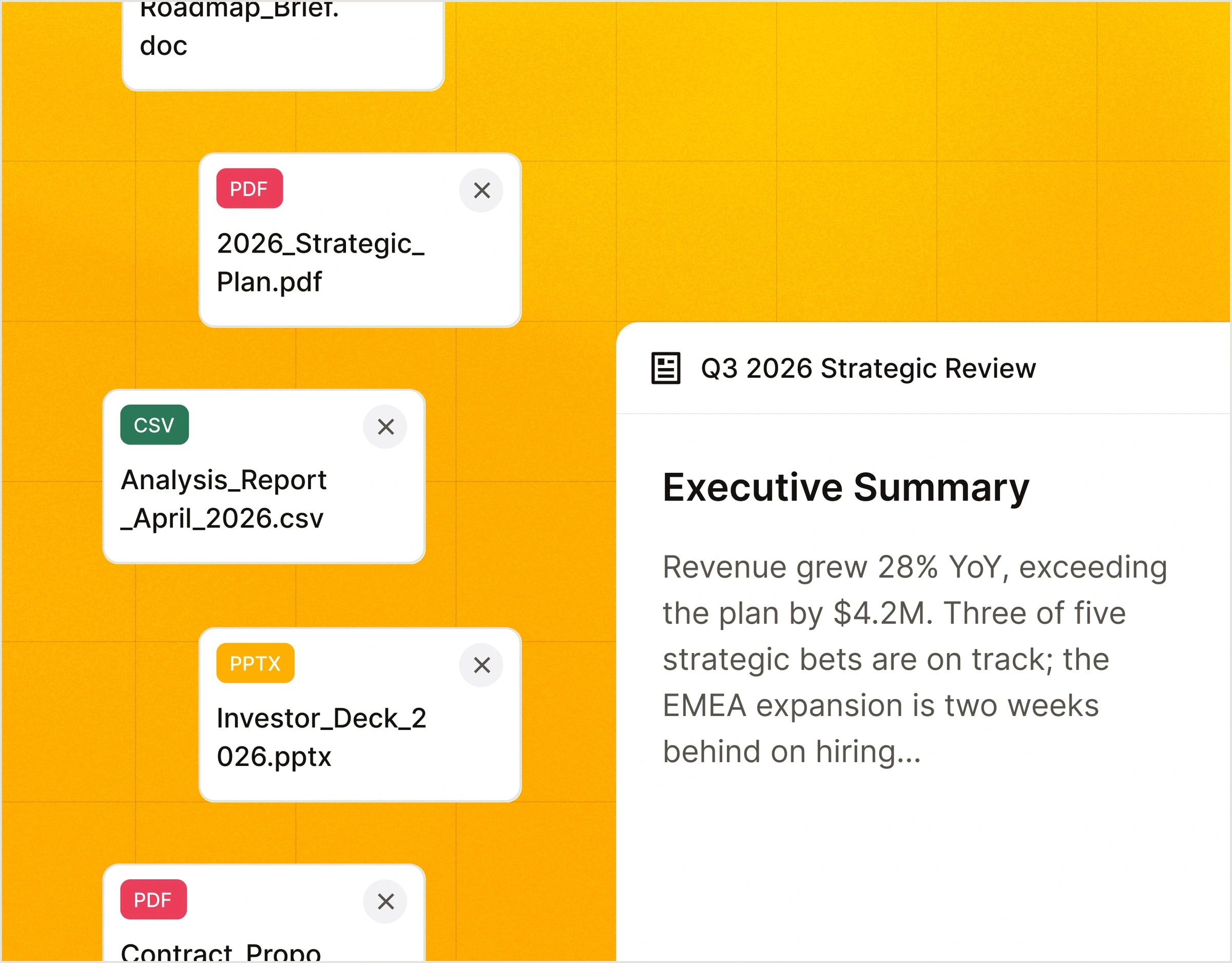
Upload spreadsheets for analysis and create reports, briefs and presentations. Library storage varies by plan.
Connected applications
Email, calendar, Slack, GitHub and Jira connections bring work context into the assistant. MCP adds a route for custom tools.
Voice input
Voxtral-powered voice input provides another way to give instructions on supported Vibe surfaces.
Local and remote coding
Work in the CLI or editor, or delegate a remote coding task and continue it locally. Repository context supports edits across files.
Coding permissions
Planning mode is read-only. Other modes allow edits or wider tool use, with configurable permissions and trust for project instructions. Programmatic defaults require particular attention.
Mistral Vibe pricing
Free plan available. Plans priced per user. Visit Mistral Vibe for full plan details and current offers.
Example plans.
Pro
USD 14.99 / month
Mistral Vibe
Plan details
Monthly public USD price excluding taxes. Included monthly usage; optional PAYG is extra.
Team
USD 24.99 / user / month
Mistral Vibe
Plan details
Per user per month, excluding taxes; workspace and administration features.
Technical specifications
AI assistants
| Feature | Mistral Vibe |
|---|---|
| File inputs | Document uploads and libraries; spreadsheets can be analysed and documents created.Library storage differs by plan |
| Web search and citations | Web search and sourced research across web, internal documents and connected tools.Free search has lower limits |
| Connected apps | Email, calendar, Slack, GitHub, Jira and other tools; MCP compatibility.Connector availability and permissions vary |
| Usage limits | Limited Free access; higher Pro allowances. Included monthly usage is shared across Studio, API and Vibe Code; optional PAYG can extend it.Organisation allowance and settings |
| API access | SupportedShared plan allowance; model-specific pricing |
Coding assistants
| Feature | Mistral Vibe |
|---|---|
| Editor and terminal interfaces | CLI, VS Code, web remote agents; JetBrains and Zed via ACP.Supported development surfaces |
| Repository context | Repository context supports changes across files, tests and documentation.Connected or local repositories |
| Agent actions | Edits code, runs tests and delegates remote work that can open pull requests.Local and remote coding |
| Model access | Mistral coding models and model selection through the Mistral platform.Model-specific usage charges |
| Execution and review controls | Read-only planning, edit and auto-approve modes; per-tool permissions and trusted project folders. Programmatic mode defaults to auto-approve unless an agent is specified.CLI, VS Code and web approval policy |
| API access | SupportedIncluded usage, with optional token-billed overages |
Mistral Vibe alternatives
Other options for AI research, documents and code.
ChatGPT
A broad assistant for conversation, research, files and coding.
Compare with Mistral VibeClaude
Writing and document analysis with editable outputs and coding tools.
Compare with Mistral VibeCursor
An editor-centred coding environment with agents and repository context.
Compare with Mistral VibeMistral Vibe FAQs
What happened to Le Chat?
Le Chat is now Vibe for work. Mistral says existing conversations, settings and plans carry over.
Is Mistral Vibe free?
Yes. Free includes limited chat, searches and coding sessions. Pro and Team increase access and add features.
Does Pro include unlimited coding?
No. Included monthly usage applies, and extra usage can be charged by token when pay-as-you-go is enabled.
Can Vibe run on a private cloud?
Private cloud and on-premises deployments are available through Enterprise arrangements. The standard hosted assistant uses cloud processing.
Is this your product? Claim this page to update your listing.