

Cursor
An AI code editor with agents for larger development tasks
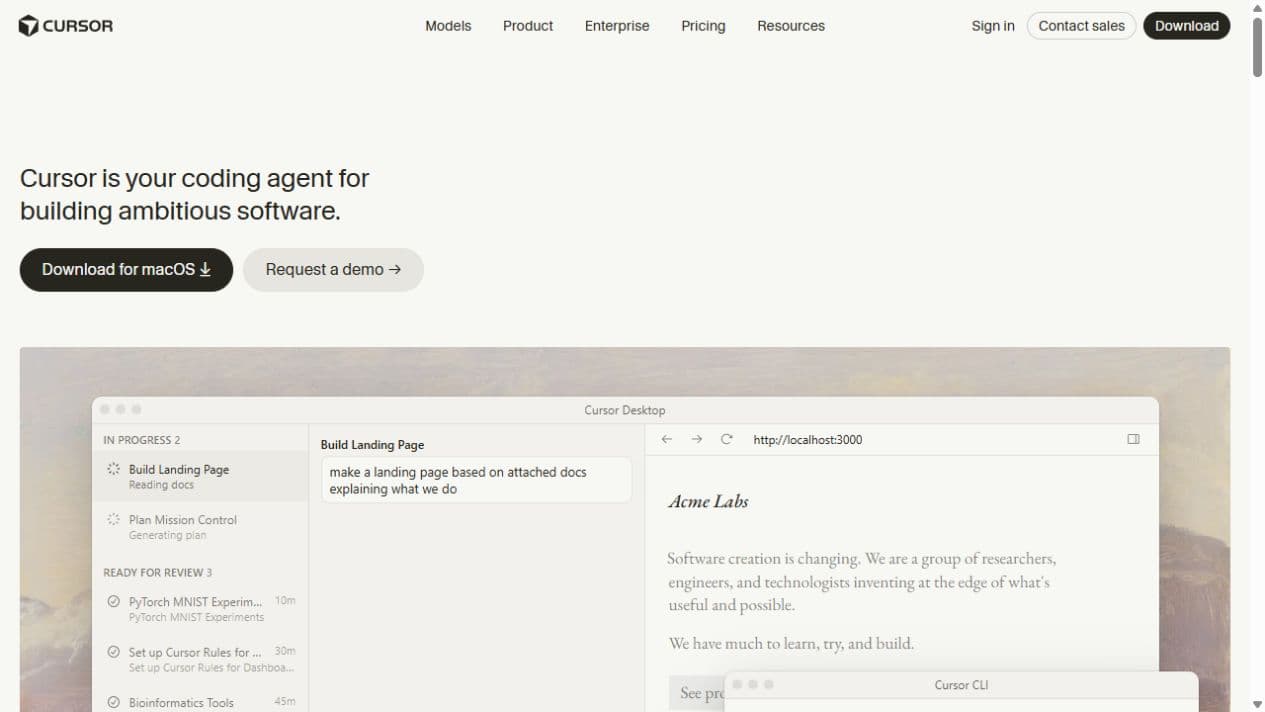
Cursor combines an AI code editor with coding agents that search your repository, change files and run commands, locally or in a cloud development environment.
Free plan availableAccount required
- Access
- Free and paid plans
- Example plan
- USD 20 / monthPro
- Available on
- Desktop, Web, Mobile, API
What is Cursor?
Cursor is an AI coding tool that combines an editor with agents capable of working across a codebase. Alongside code suggestions, Agent can find relevant files, make changes and run terminal commands. That makes it relevant to developers who need help with a feature, a bug or maintenance across several files, rather than only a single generated snippet.
The product extends beyond the local editor. Cloud Agents use separate virtual machines with repositories, dependencies and development tools, and can build or test the software they change. They can work across multiple repositories and hand back changes through source control. Setting up a usable environment remains part of adopting that capability.
Cursor’s controls are also part of the purchase decision. Agent Review can inspect local changes, and Privacy Mode is available on free and paid accounts. Teams adds administration and shared settings. The tool fits existing development projects, but generated code still needs the same review, tests and release checks as other contributions.
Best for
- Developers building and maintaining an existing codebase.
- Teams that want editor assistance and longer agent tasks in one product.
- Engineering groups running agents in configured cloud environments.
Limitations
Agent usage is metered through model pools rather than unlimited across every model. Cloud Agents need a working development environment and suitable repository permissions. Privacy Mode is a data-use control; it does not make cloud processing local.
Cursor features
Repository-aware coding
Agent searches folders and reads project files to find the context for a change. It can edit several files and run commands, which supports tasks that extend beyond an isolated autocomplete suggestion.
Editor and terminal access
Use Cursor in its desktop editor or through the CLI. Cloud Agents can also be managed from the web and iOS, with integrations for starting work from supported collaboration and source-control tools.
Cloud development environments
Run agents in separate virtual machines with cloned repositories, dependencies and tools. They can build, test and use a browser while your local machine is disconnected.
Multi-repository tasks
Cloud Agents can inspect a workspace spanning separate frontend, backend or shared-library repositories. Repository access and environment configuration determine which parts of that workspace they can use.
Agent Review
Run a dedicated review of local changes inside Cursor. It offers Quick and Deep review levels and can read repository review rules from BUGBOT.md files.
Privacy and team settings
Privacy Mode is available to free and paid users. Cursor says it does not train on your data when enabled. Team administrators can enforce the setting across their workspace.
Cursor pricing
Free plan available. Plans priced per user. Visit Cursor for full plan details and current offers.
Example plans.
Pro
USD 20 / month
Cursor
Plan details
Includes model usage pools; optional on-demand usage is billed separately. Tax excluded.
Pro Plus
USD 60 / month
Cursor
Plan details
Includes model usage pools; optional on-demand usage is billed separately. Tax excluded.
Ultra
USD 200 / month
Cursor
Plan details
Includes model usage pools; optional on-demand usage is billed separately. Tax excluded.
Technical specifications
Coding assistants
| Feature | Cursor |
|---|---|
| Editor and terminal interfaces | Desktop editor, terminal CLI, web Cloud Agents and iOS access; cloud agents also integrate with source-control and collaboration tools.Documented product features |
| Repository context | Agent searches and reads project files. Cloud Agents clone repositories into separate environments and support multi-repository work.Documented product features |
| Agent actions | Edit files, run terminal commands, search the web and control a browser. Cloud Agents can build and test in their own environments.Documented product features |
| Model access | Paid individual plans include separate Cursor Models and Other Models usage pools. Model choice affects consumption; on-demand usage is optional.Pro, Pro Plus and Ultra |
| Execution and review controls | Agent Review can inspect local changes. Privacy Mode is available on free and paid plans; Teams can enforce it centrally.Documented product features |
Cursor alternatives
Other tools in this category
GitHub Copilot
GitHub Copilot is an alternative for AI coding assistance in supported editors and GitHub-related development work.
Compare with CursorClaude Code
Claude Code offers a terminal-based agent for working directly with project files and development commands.
Compare with CursorTabnine
Tabnine is another option for teams evaluating coding assistance and deployment controls.
Compare with CursorCursor FAQs
Is Cursor free?
Hobby is a free plan with limited Agent requests. Paid Pro, Pro Plus and Ultra subscriptions expand access. They include model usage pools, with optional on-demand charges after included usage.
Can Cursor work while my computer is offline?
Cloud Agents run in separate virtual machines and do not require your local machine to stay connected. They need a configured environment and appropriate source-control connections for repository tasks.
Does Privacy Mode keep all processing on my device?
No. Cursor describes Privacy Mode as a control that prevents training on your data. Models and Cloud Agents can still use hosted services. The security documentation explains the data handling and provider controls.
Is this your product? Claim this page to update your listing.