

Microsoft Designer
Microsoft Designer: AI images and graphics for personal projects
Microsoft Designer creates and edits images for invitations, greeting cards, social posts and other personal graphics. Prompt templates and AI photo tools make it approachable, with web and mobile access through a personal Microsoft account.
Free plan availableAccount required
- Access
- Free and paid plans
- Available on
- Web, Mobile
Personal designs from a prompt or a photo
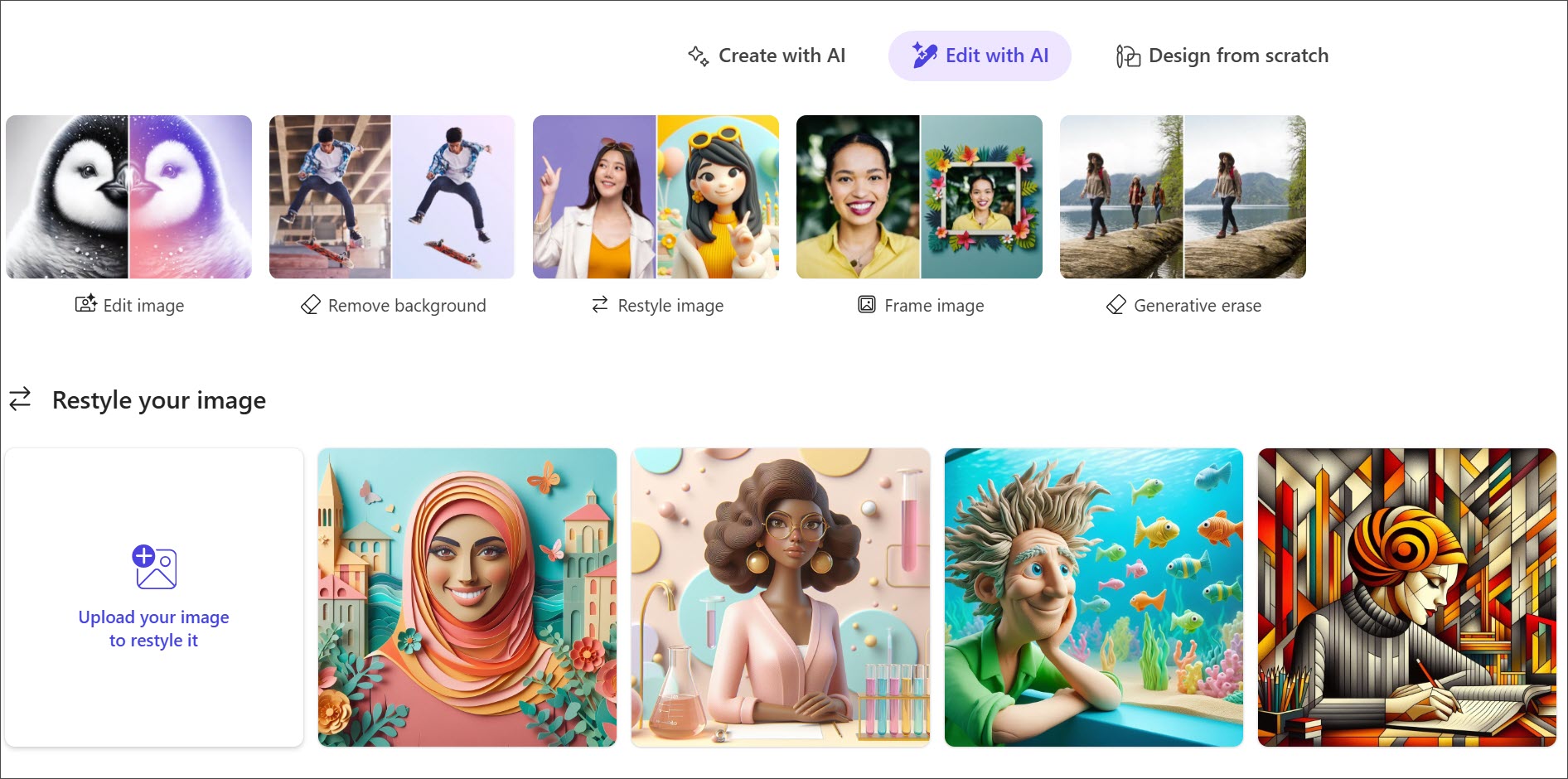
Designer organizes its public workspace around Create with AI, Edit with AI and Design from scratch. Prompt templates cover images, icons, invitations, banners and other visual formats. Enter an idea or adapt an example, then continue editing the result rather than starting every design from a blank page.
Photo tools include background removal, restyling, frames, generative erase and upscaling. The editor also supports text, shapes and manual design changes. Download, copy and share options vary by creation type. Generated wording can contain spelling errors or appear in a different language, so text-heavy graphics may need corrections.
Microsoft licenses Designer for personal, non-commercial use. It fits family events, personal greetings and recreational projects; it is not a commercial brand-design service. Microsoft retired the legacy visual editor’s Brand Kits and stock-video feature in October 2025. The current three-tab interface remains available, with photos, illustrations and shapes among its design assets.
Designer is free with a personal Microsoft account, with subscriptions available for more frequent AI use. Microsoft 365 benefits and limits depend on the plan and feature; AI credits can be shared across supported Microsoft and Windows apps, rather than reserved for Designer. Those subscription benefits belong to the subscription owner. Saved projects count against Microsoft cloud storage, and uploads are stored in OneDrive.
Best for
- People making invitations and greeting cards
- Creators exploring personal image ideas
- Microsoft users editing personal photos and graphics
Limitations
Designer is licensed for personal, non-commercial use. The legacy Brand Kit and stock-video features were retired. AI text may need correction, and account age, region, subscription and shared storage limits affect availability.
Microsoft Designer features
Prompt-based visual creation
Create personal invitations, cards, banners and images from descriptions.
Reusable prompt templates
Adapt examples for an occasion, subject or visual style.
AI photo editing
Remove backgrounds, restyle photos, add frames and erase unwanted areas.
Manual design canvas
Adjust text, images and shapes after generation.
Web and mobile access
Use Designer with a personal Microsoft account on supported devices.
Cloud-saved projects
Return to saved designs within your Microsoft storage allowance.
Microsoft Designer pricing
Free plan available. Plans and included features vary. Visit Microsoft Designer for full plan details and current offers.
Technical specifications
Graphic design
| Feature | Microsoft Designer |
|---|---|
| Design output types | Personal invitations, cards, social posts, banners and AI images; personal/non-commercial licence. |
| Editable layers and layout | Current three-tab interface with manual text/image/shape editing, restyling, background removal and generative erase. |
| Export formats | Download or copy images, or share supported creations. Options vary by creation type. |
| Brand controls | Legacy Brand Kits retired in October 2025; manual fonts, colours and uploaded media remain in the current editor. |
| Commercial-use rights | Personal, non-commercial use with a Microsoft account. Content credentials identify generated/edited AI imagery. |
Microsoft Designer alternatives
Canva and Adobe Express cover broader branded content; Looka offers paid business-logo packages.
Canva
Templates and branded graphics, with plan-specific licences and AI features.
Compare with Microsoft DesignerAdobe Express
AI-assisted editing and everyday brand content with Adobe assets.
Compare with Microsoft DesignerLooka
Paid business logos and brand templates with commercial-use rights.
Compare with Microsoft DesignerMicrosoft Designer FAQs
Is Microsoft Designer free?
Yes. A personal Microsoft account provides free access. Subscriptions can increase AI usage, with plan- and feature-specific limits.
Can I use Microsoft Designer commercially?
Microsoft’s Designer documentation specifies personal, non-commercial use. A Microsoft 365 subscription should not be treated as permission for commercial Designer use.
Does Designer still include Brand Kits?
Microsoft retired Brand Kits and stock videos from the legacy visual editor in October 2025. Its current editor supports image and text editing through the Create with AI, Edit with AI and Design from scratch tabs.
Are Microsoft365 AI credits only for Designer?
No. Credits measure usage across supported Microsoft and Windows apps. Subscription AI benefits belong to the subscription owner, with limits varying by plan and feature.
Is this your product? Claim this page to update your listing.