

Relevance AI
Relevance AI: business agents, visual Workforces and connected tools
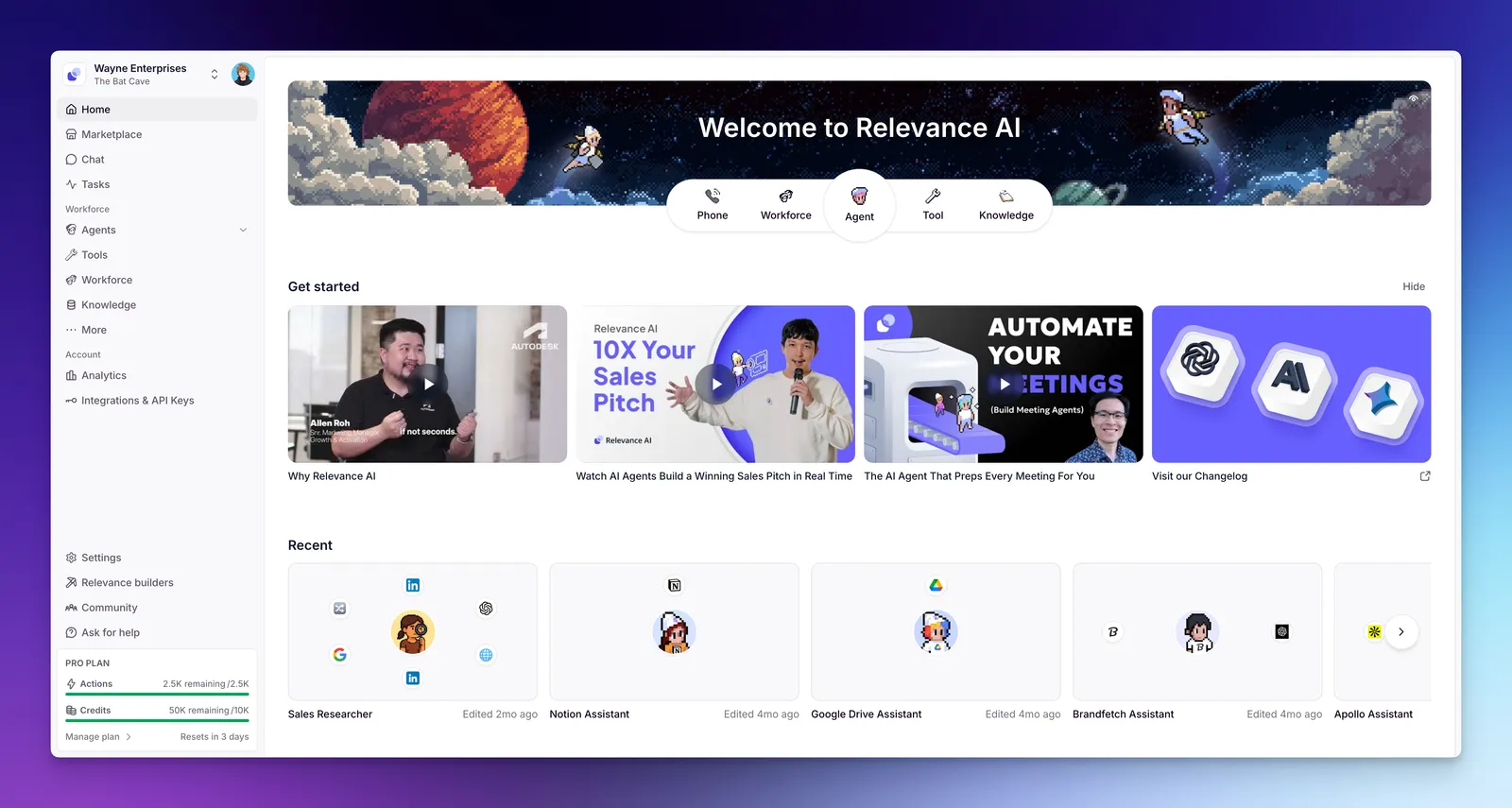
Relevance AI builds business agents and multi-agent teams called Workforces. Connect custom tools, knowledge and app integrations, then coordinate specialist agents on a visual canvas. Tool-level approval modes, scheduled triggers and task monitoring support recurring operations across sales, research, support and internal processes.
Paid plansAccount required
- Access
- Paid access
- Example plan
- USD 29 / monthPro — monthly
- Available on
- Web, API
Coordinate specialist agents across a shared business process
Relevance AI combines agents, tools and knowledge within a hosted workspace. Agents use connected tools to carry out tasks; reusable custom tools package actions and processing logic. Knowledge sources give agents business context, while integrations and API connections extend them to existing services.
Workforces connect several specialist agents on a visual canvas. An AI connection lets an agent choose when to hand work to another specialist, while a next-step connection enforces a sequence. Conditional routing and tool chains support processes such as researching a lead, enriching the result and handing it to the next agent.
Approval modes apply to individual tools. Autopilot allows a tool to run directly; Human-in-the-Loop pauses for explicit approval. Separate alerts can notify a team about task status or tool errors, and an enabled escalation tool hands a conversation to a person. Scheduled triggers, app events, webhooks and API calls determine when work begins.
Billing separates platform actions from model and tool costs. Each Tool run counts as an Action even if it fails; Vendor Credits cover the underlying usage. Own provider keys bypass Vendor Credits while Actions remain. Included Actions reset at renewal, purchased Action top-ups carry to the next cycle, and Vendor Credits carry while the subscription remains active. Enterprise terms can differ.
Best for
- Teams coordinating specialist AI agents
- Connected sales, research and support processes
- Operations requiring tool-level human approval
Limitations
There is no current free plan. Tool runs consume Actions, including failures, and model/tool usage has a separate cost. Pro and Team limit build users and projects; calling and meeting agents require Team or Enterprise. Tool approvals depend on configuration. Connected third-party services have their own processing terms.
Relevance AI agent and Workforce features
Business agents
Configure specialist agents with tools, instructions and business knowledge.
Visual Workforces
Connect agents through flexible handoffs, fixed next steps and conditional paths.
Custom tools and APIs
Package reusable actions and connect services through integrations or custom endpoints.
Per-tool approval modes
Choose direct execution or explicit human approval for each connected tool.
Scheduled and event triggers
Start recurring work from schedules, app events, webhooks or API calls.
Task monitoring and alerts
Inspect agent work and notify a team about statuses or tool failures.
Relevance AI pricing
Paid plans. Subscription plans. Visit Relevance AI for full plan details and current offers.
Example plans.
Pro — monthly
USD 29 / month
Relevance AI organization
Plan details
Organization plan; 2 build users/1 project; 2,500 Actions and USD 20 Vendor Credits/month.
Pro — annual commitment
USD 19 / month
Relevance AI organization
Plan details
Monthly equivalent billed annually; 30,000 Actions and USD 240 Vendor Credits/year; 2 build users/1 project.
Team — monthly
USD 349 / month
Relevance AI organization
Plan details
Organization plan; 5 build users/45 end users/5 projects; 7,000 Actions and USD 70 Vendor Credits/month.
Technical specifications
Automation and agents
| Feature | Relevance AI |
|---|---|
| Connectors and tool access | Built-in app connections, custom tools and knowledge sources; custom API keys connect additional services. Workforces link specialist agents and tools through visual handoffs.Connected tools, projects and credentials |
| Triggers and scheduling | Run agents through the UI, APIs, integration events, webhooks or schedules. Recurring schedules use the configured account timezone; enterprise trigger access depends on the plan.Configured triggers and plan access |
| Human approval controls | Each tool can use Autopilot or Human-in-the-Loop mode. Gated tools require explicit approval; different tools in the same agent can use different modes.Configured per-tool approval |
| Hosting and deployment | Cloud SaaS with authenticated access and connected external services. Enterprise includes organization controls; the security policy excludes third-party processing outside the platform.Hosted service; connected-provider terms |
| Execution accounting | An Action is one Tool run, including failed runs. Vendor Credits separately pay model/tool costs. Pro/Team subscriptions are shared at organization level; own keys bypass Vendor Credits, not Actions.Organization subscription and separate usage pools |
| API access | SupportedPython/JavaScript SDK and project-scoped API access |
Relevance AI alternatives
Other platforms offer hosted agents, visual workflows and different usage accounting.
Gumloop
Connected team agents with reusable skills and model/tool/compute credit billing.
Compare with Relevance AIDify
Visual AI applications and knowledge workflows with Cloud or Community deployment.
Compare with Relevance AIn8n
Connected automation and AI-agent workflows with Cloud or self-hosted operation.
Compare with Relevance AIRelevance AI FAQs
Does Relevance AI have a free plan?
Its current documentation retires Free for both new signups and existing accounts. Pro, Team and custom Enterprise plans are available.
What is the difference between Actions and Vendor Credits?
An Action is a Tool run, including a failed run. Vendor Credits pay the separate model and tool usage costs. Own API keys bypass Vendor Credits but do not remove Action billing.
Can Relevance AI require human approval?
Yes. Human-in-the-Loop mode requires explicit approval before a selected tool runs. Other tools in the same agent can remain in Autopilot.
What are Relevance AI Workforces?
Workforces connect specialist agents and tools on a visual canvas. AI handoffs, mandatory next steps and conditional routes coordinate a multi-step business process.
Is this your product? Claim this page to update your listing.