

Prezi
Prezi: AI presentations with a zoomable canvas
Prezi combines AI presentation creation with an open canvas that zooms between ideas. Build from a prompt or existing document, refine the outline and design, then present a connected visual story.
Free plan availableAccount required
- Access
- Free and paid plans
- Example plan
- EUR 60 / user / yearStandard — annual
- Available on
- Web, Desktop
AI-generated presentations that move through your ideas
Prezi organizes a presentation on a canvas, with frames and talking points rather than only a linear stack of slides. Zoom and pan between sections to show the relationship between a broad topic and its details. Prezi AI supplies an initial outline, content and visual design from a prompt or a PowerPoint, PDF or Word file. Review the talking points, reorder sections and adjust the brief before generating the presentation.
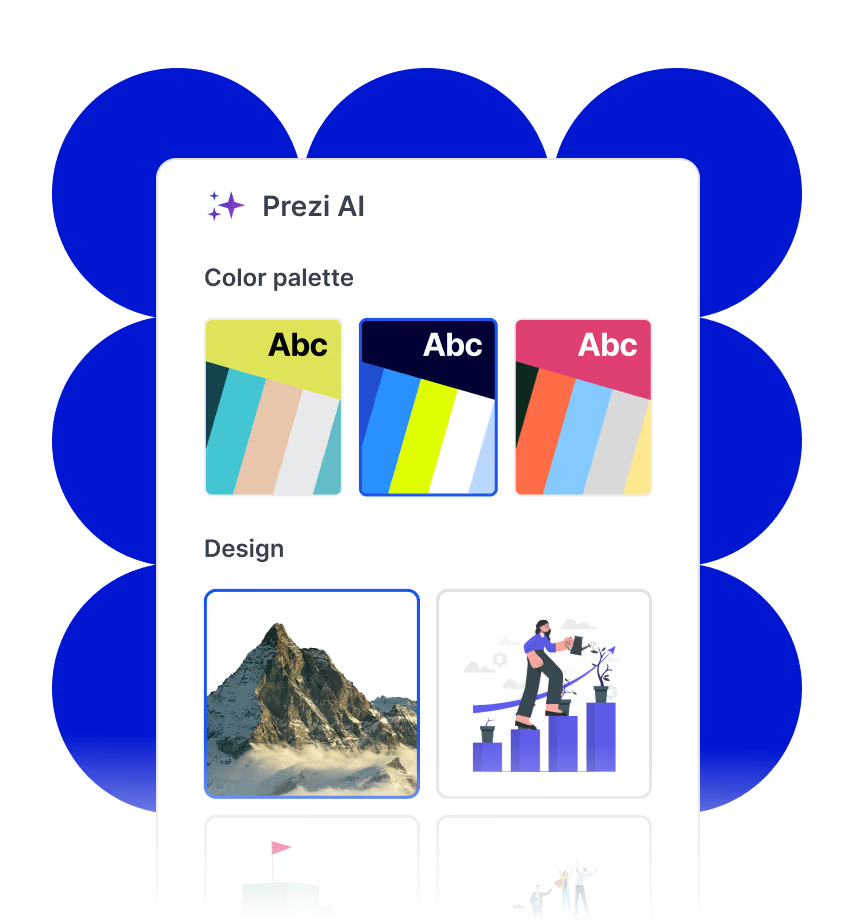
The AI design stage offers colour palettes, design choices and ways to recreate the presentation. Move into the Prezi Present editor to change text, add frames and story blocks, insert your own images or video, and add presenter notes. AI image creation and text transformation provide further editing options. When AI creates a presentation from a PowerPoint file, it extracts and restructures the text and chooses new gallery visuals. It does not preserve all original graphics; add those separately in the editor.
Basic supports up to five public projects with an initial 500 AI credits. Standard adds privacy controls and unlimited projects but retains a credit-based AI allowance. Plus and higher include unlimited AI use, with desktop and offline presentation options, PDF exports and presenter features. Premium adds analytics. Teams supplies shared branding and administration, including a brand kit and single sign-on. Brand kits can store logos, custom fonts and colours for colleagues to apply across presentations.
Prezi now supports PowerPoint export as well as PDF and portable presentations. Each canvas frame becomes a static PowerPoint slide. This provides a conventional deck for sharing or viewing offline, while Prezi’s zooming experience remains in Prezi. The two PowerPoint paths serve different purposes: AI generation rebuilds a story from the source text, whereas traditional slide import places each original slide into a frame as an image.
Best for
- Presenters explaining connections between ideas
- Teachers creating visual lessons
- Teams building branded presentations with viewer analytics
Limitations
Basic projects are public. Basic and Standard use AI credits that do not refill monthly. PowerPoint exports are static slides, so they do not reproduce the zooming canvas experience. AI imports restructure source text and select new visuals.
Prezi features
Zoomable presentation canvas
Move from an overview into individual frames and talking points to show how ideas connect.
Prompt and file-based AI creation
Generate an outline from a brief, PPTX, PDF or Word document, then review its structure.
Editable content and design
Adjust palettes and design choices, then refine text, frames, media and notes in the editor.
AI images and text transformation
Create visuals or revise presentation content; credit-based access applies below Plus.
Static PowerPoint and PDF output
Export canvas frames as conventional PowerPoint slides; Plus and higher include PDF export.
Team branding and analytics
Teams shares brand kits and administration; Premium and Teams add presentation analytics.
Prezi pricing
Free plan available. Plans priced per user. Visit Prezi for full plan details and current offers.
Example plans.
Standard — annual
EUR 60 / user / year
Current regional annual subscription
Billed annually.
Plan details
Derived from EUR 5/month billed annually; 500 AI credits, private projects and unlimited projects.
Plus — annual
EUR 180 / user / year
Current regional annual subscription
Billed annually.
Plan details
Derived from EUR 15/month billed annually; unlimited AI, presenter tools, desktop/offline access and PDF export.
Premium — annual
EUR 300 / user / year
Current regional annual subscription
Billed annually.
Plan details
Derived from EUR 25/month billed annually; Plus features with presentation analytics.
Technical specifications
Presentations
| Feature | Prezi |
|---|---|
| Brief and document inputs | Prompt and PPTX/PDF/DOCX files; text-based source content up to 170,000 characters. AI import restructures text and selects new visuals.Platform and plan scope stated in the fact |
| Slide editing controls | Zoom/pan canvas, frames and talking points; editable outline, colour/design choices, recreation, text/media/notes in Prezi Present editor.Platform and plan scope stated in the fact |
| Presentation exports | PPTX turns each canvas frame into a static slide; no zooming motion. Plus+ PDF and portable/offline presentation options.Platform and plan scope stated in the fact |
| Brand templates | Plus smart branding; Teams shared brand kit with logos, colours and uploaded TTF/OTF fonts, managed by team administrators.Platform and plan scope stated in the fact |
| Sharing and collaboration | Basic up to 5 public projects; Standard+ privacy control. Teams shared branding, central administration and SSO; Premium/Teams presentation analytics.Platform and plan scope stated in the fact |
Prezi alternatives
Gamma offers card-based presentations, Pitch provides a collaborative slide editor, and SlidesAI creates conventional editable decks in familiar presentation apps.
Pitch
A team slide editor with AI generation, branded templates and presentation analytics.
Compare with PreziPrezi FAQs
Is Prezi free?
Basic is free for up to five public projects and includes 500 AI credits. Privacy controls and unlimited projects require Standard or higher, while unlimited AI begins with Plus.
Do Prezi AI credits renew each month?
Credit-based allowances stay available until used and do not refill monthly. They do not expire while your account remains active. Plus and higher include unlimited AI usage; referral rewards can add credits to a credit-based account.
Can Prezi AI create a presentation from PowerPoint?
Yes. It extracts text from a PPTX, builds an outline and creates a new presentation with selected visuals. Original charts and photos may need to be added separately. Traditional slide import instead brings in each slide as a static image.
Can I export Prezi to PowerPoint?
Yes. Current PowerPoint export turns each Prezi frame into a static slide. It offers a conventional deck version of the content, without Prezi’s zooming presentation motion.
Does Prezi work offline?
Plus and higher include desktop and portable presentation options for offline presenting. A PDF or static PowerPoint export can also be viewed with compatible offline software.
Is this your product? Claim this page to update your listing.