

Leonardo.Ai
A creative AI workspace for images, editing and visual assets
Leonardo.Ai brings AI image generation, prompt-based editing, custom visual Elements and upscaling into one workspace, with tools for moving images into video.
Free plan availableAccount required
- Access
- Free and paid plans
- Example plan
- USD 12 / monthEssential
- Available on
- Web, Mobile, API
What is Leonardo.Ai?
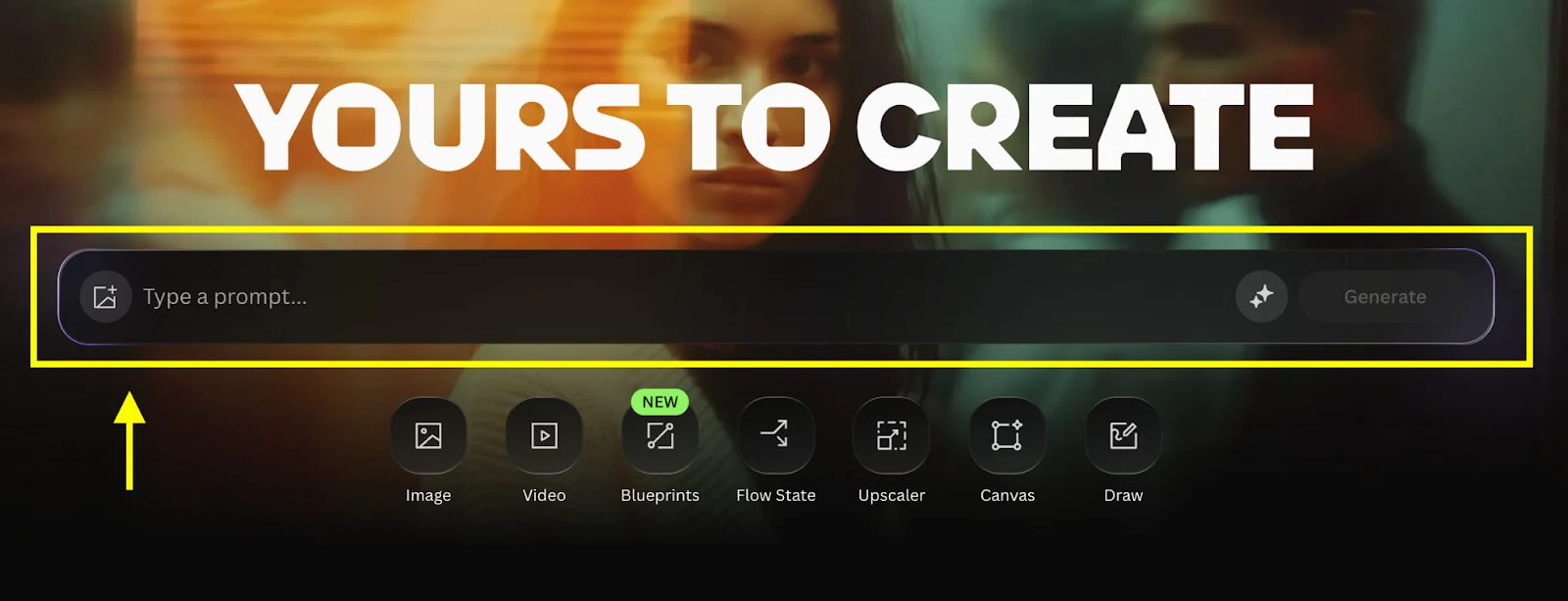
Leonardo.Ai is a creative platform for generating images, editing them and preparing visual assets for further use. Its workspace supports text prompts, image references and a choice of models. Image creation sits alongside editing, upscaling and video tools, which makes the platform relevant to projects that continue beyond a single generated picture.
The product’s reusable Elements are a distinguishing feature. These are Leonardo’s implementation of LoRA training: a collection of source images can teach an Element a visual subject or style, which can then guide later generations. Teams can share Elements to give related work a common visual reference.
Leonardo also provides ways to explore and refine ideas. Flow State develops multiple directions from a prompt, while Blueprints package common creative operations. Omni editing accepts written changes to an image. The balance between experimentation and production depends on the plan, because privacy, token allowances and relaxed generation are not identical across free and paid accounts.
Best for
- Creators developing related images around a recurring subject or style.
- Designers who want generation, edits and upscaling in one workspace.
- Teams sharing custom visual Elements across projects.
Limitations
Free creations are public. Tokens cover different operations and do not translate to a fixed number of images. Relaxed generation is limited to selected models, runs at lower priority and can reduce concurrency.
Leonardo.Ai features
Model selection and image references
Start from a written prompt or an image, then select a model appropriate to the task. References provide an additional direction for image-based generation or editing.
Omni image editing
Describe changes to an existing image in words. Editing tools cover removal, replacement, background changes and refinements without requiring a new image from scratch.
Custom Elements
Train a reusable LoRA on images of a subject or style. Apply the Element during later generations, and share Elements with your team for related visual work.
Flow State
Explore different visual directions from an initial description. More Like This narrows the exploration around examples you prefer, and chosen images can be saved to the library.
Blueprints
Use predefined creative operations for tasks such as object removal, room visualisation or product animation. They provide a starting structure for common asset tasks.
Upscaling and image-to-video
Upscale an image or use it as the starting frame for video generation. The available models and settings affect both the output and token consumption.
Leonardo.Ai pricing
Free plan available. Subscription plans. Visit Leonardo.Ai for full plan details and current offers.
Example plans.
Essential
USD 12 / month
Leonardo.Ai
Plan details
8,500 Fast tokens/month; private creation; 25,500-token bank. Taxes excluded.
Premium
USD 30 / month
Leonardo.Ai
Plan details
25,000 Fast tokens/month; 75,000-token bank; relaxed images on selected models. Taxes excluded.
Ultimate
USD 60 / month
Leonardo.Ai
Plan details
60,000 Fast tokens/month; 180,000-token bank; relaxed images/video on selected models. Taxes excluded.
Technical specifications
Image generation
| Feature | Leonardo.Ai |
|---|---|
| Prompt and reference inputs | Text prompts, uploaded image references and generated images; generation models can be selected manually.Documented product features |
| Editing controls | Omni prompt-based editing, object/background removal, image guidance, resizing and upscaling.Documented product features |
| Output dimensions | Generation and upscaling settings vary by selected model. The product documents upscaling, rather than one fixed output size for every model.Documented product features |
| Style and character controls | Elements train reusable LoRAs on a subject, product or style and can be shared within a team.Documented product features |
| Output licensing and privacy | The terms distinguish paid private content, paid public content and free outputs. The free pricing FAQ grants commercial-use access; output rights and platform use differ by subscription.Documented product features |
Leonardo.Ai alternatives
Related AI image tools
Midjourney
An image platform with style references, moodboards and image editing.
Compare with Leonardo.AiAdobe Firefly
Image generation and edits alongside Adobe and partner models.
Compare with Leonardo.AiIdeogram
An image platform with editable typography and iterative image edits.
Compare with Leonardo.AiLeonardo.Ai FAQs
Is Leonardo.Ai free?
The free plan provides 150 Fast tokens each day and public creations. Essential, Premium and Ultimate are paid individual plans with monthly allowances and private creation.
What are Leonardo Elements?
Elements are Leonardo’s implementation of LoRA training. They learn a subject or style from a collection of images and can guide later generations. Access and model limits depend on the plan.
Does relaxed generation cover every model?
No. Premium and Ultimate provide relaxed access to selected models. Jobs have lower priority and reduced concurrency, and the models covered can change.
Is this your product? Claim this page to update your listing.