

DeepL
DeepL: AI translation, document translation and writing tools
Translate text and documents, keep terminology consistent and refine writing with DeepL Translator, DeepL Write and separately subscribed developer APIs.
Free plan availableAccount optional
- Access
- Free and paid plans
- Example plan
- EUR 8.99 / monthIndividual Translator
- Available on
- Web, Desktop, Mobile, API
Translation and writing improvement with distinct subscriptions
DeepL specialises in language work. Translator converts text and documents between languages, while DeepL Write improves text in its original language through corrections and alternative phrasing. Those are different tasks: translating a presentation and polishing an email draw on different features and allowances. Developer APIs add programmatic access through their own subscription.
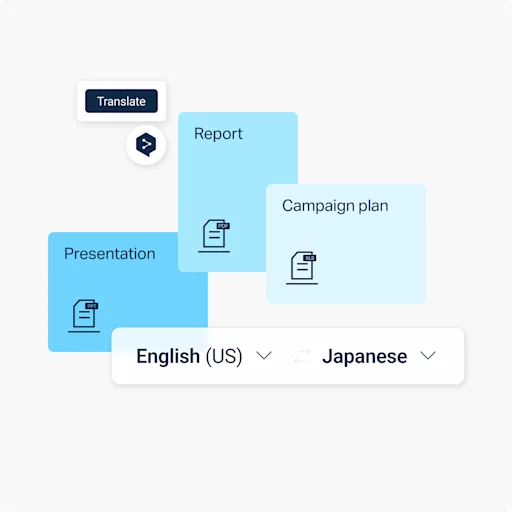
Document translation supports familiar formats including Word, PDF, PowerPoint and Excel, alongside additional file types. DeepL aims to preserve layout and formatting, while glossaries help keep names and specialist terminology consistent. Higher plans add shared style rules, larger file allowances and organisation controls. The available language pair, document format and subscription still affect which customisation options can be used.
DeepL Write offers grammar and punctuation corrections, alternative wording, and supported style and tone adjustments. Its language range is narrower than Translator’s, and certain controls are unavailable on mobile or in particular languages. Individual and Team Translator plans offer Write Pro as an add-on; Business includes it. API plans also have their own entitlements and usage billing. Free access, a subscription trial and a one-time API credit are separate offers.
Best for
- People translating work documents
- Teams managing multilingual terminology
- Developers integrating language services
Limitations
Translation quality varies with language, subject and source material. File limits and formatting support depend on the plan and format. Translator, Write and API access have separate entitlements; no-training terms apply to the relevant paid services.
DeepL features
Text and document translation
Translate supported text and file formats, including PDFs, Word documents, PowerPoint slides and Excel sheets.
Glossaries and shared style rules
Keep terminology consistent and apply supported style preferences, with capacity and sharing controlled by the subscription.
DeepL Write
Correct and rephrase text, with writing styles and tones for supported languages and platforms.
Apps and document integrations
Use DeepL through web, desktop, mobile and browser extensions, including supported Word and Google Workspace integrations.
Developer APIs
Integrate translation and writing features through separately subscribed APIs, with character allowances and additional usage charges.
DeepL pricing
Free plan available. Plans priced per user. Visit DeepL for full plan details and current offers.
Example plans.
Individual Translator
EUR 8.99 / month
DeepL
Plan details
Germany monthly list price including VAT; 300,000 characters and three files/month.
Team Translator
EUR 29.99 / user / month
DeepL
Plan details
Germany monthly list price including VAT; one million characters and 20 files/member/month.
Business Translator
EUR 59.99 / user / month
DeepL
Plan details
Germany monthly list price including VAT; unlimited characters under fair use and 100 files/month; Write Pro included.
Technical specifications
Writing and translation
| Feature | DeepL |
|---|---|
| Writing workflow | Text and document translation, with writing correction and rephrasing through DeepL Write. Translator and API subscriptions are separate.Translator, Write and API entitlements differ |
| Languages | Document translation covers more than 100 languages. Translator and Write have different language ranges.Document translation language coverage Write supports Chinese, English, French, German, Italian, Japanese, Korean, Portuguese and Spanish, including listed regional variants.DeepL Write language coverage |
| Style and terminology controls | Write offers alternative phrasing, writing styles and tones; some controls are limited by language and platform.No style/tone controls for Chinese, Japanese or Korean in current Write guidance Glossaries and plan-specific shared style rules help maintain consistent terminology and writing preferences.Translator plan-specific terminology and style controls |
| Document integrations | Web, desktop, mobile and browser extensions, with Microsoft Word and Google Workspace integrations. DeepL Write does not support CAT tools.App and subscription scope |
| Usage and document limits | Translator: Free 50,000 characters and one file/month; Individual 300,000 characters and three files; Team one million characters and 20 files/member; Business fair-use unlimited characters and 100 files. File-size caps vary by plan and format.Current Translator matrix; monthly user allowances |
| Text allowance (characters per stated period) | 300000Individual Translator characters per month; other plans have different allowances |
DeepL alternatives
Specialist proofreading tools offer a different emphasis from document translation.
Grammarly
Writing corrections, tone and paragraph rewriting across common apps.
Compare with DeepLChatGPT
Conversational drafting and revision alongside broader assistant features.
Compare with DeepLDeepL FAQs
Is DeepL free?
Free Translator and Write access are available with limits. The free Translator matrix lists 50,000 characters and one file per month. Subscription trials and the one-time API Developer credit are separate offers.
Does a DeepL Translator subscription include the API?
No. Translator and API subscriptions are separate, and an API plan does not include the web Translator. Write Pro add-ons also do not grant API access.
Is DeepL Write included with Translator?
Current Individual and Team plans offer Write Pro as an add-on. Business includes it. Organisation and API entitlements have their own terms.
Are all DeepL features available in every language?
No. Translator and Write have different language ranges. Glossaries, tone controls and writing styles also have language and platform restrictions.
Is this your product? Claim this page to update your listing.